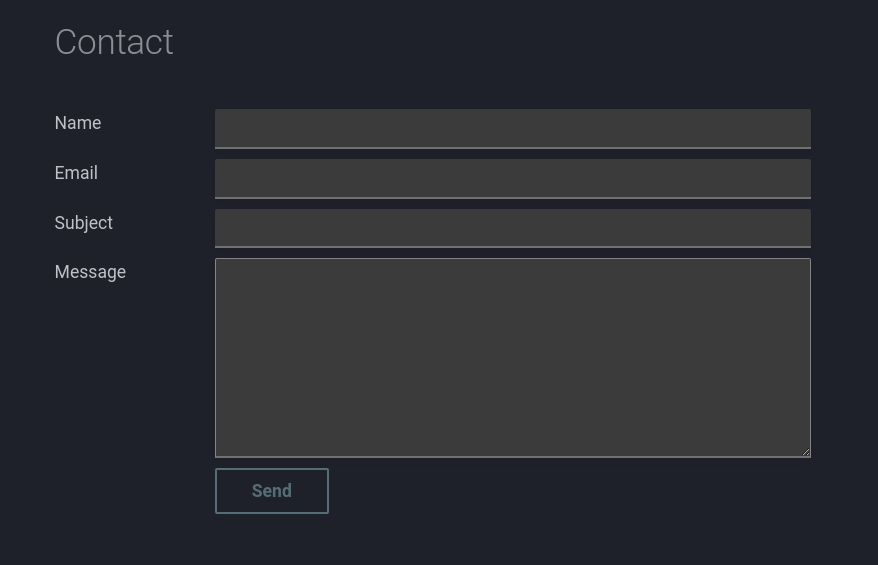
Today I ran into a service that allows you to create a contact form without having to write a bunch of code. Making it really easy to incorporate it in your mkdocs website.
Un-static forms
The service is called Un-static and it allows you to create a form by registering a form on their website. Essentially, you don’t even need to create an account unless you need some additional features.
Once you create a form you can use the form’s URL to submit the form. The form is submitted via a POST request and the form data is sent to the email address you specified when the form was created.
The how-to page on their website explains how to create a static form and how to use it.
Example
Below is an example of a form that I created using Un-static in combination with Mkdocs.
---
hide:
    - navigation
    - toc
---
<section>
  <div class="md-grid"
  style="max-width: 840px; margin-left: 0; display: flex; justify-content: left;">
    <form method="post"
    action="https://forms.un-static.com/forms/<form-id>"
    class="md-grid md-form"
    style="display: grid; grid-template-columns: 150px 2fr; gap: 10px; width: 100%;">
        <label for="name" class="md-text" style="text-align: left; padding-right: 10px;">Name</label>
        <input type="text" id="name" name="name" required class="md-input">

        <label for="email" class="md-text" style="text-align: left; padding-right: 10px;">Email</label>
        <input type="email" id="email" name="email" required class="md-input">

        <label for="subject" class="md-text" style="text-align: left; padding-right: 10px;">Subject</label>
        <input type="text" id="subject" name="subject" required class="md-input">

        <label for="message" class="md-text" style="text-align: left; padding-right: 10px;">Message</label>
        <textarea id="message" name="message" style="height: 200px;" class="md-input"></textarea>

        <div></div> <!-- Empty cell for spacing -->
        <button type="submit" class="md-button" style="width: fit-content; justify-self: start;">Send</button>
    </form>
  </div>
</section>
The form ID is the ID of the form that was created on the Un-static website. The form ID is used in the form’s action attribute. The form ID is unique to each form.
The form requires a return URL. This is the URL that the user is redirected to after the form is submitted. The return URL is specified when the form is created on the un-static website.
This can just be a simple thank you page. Below is an example of a thank you page.
---
hide:
    - navigation
    - toc
---
Your message has been sent
In order to not show the mailsent page in the navigation the navigation is hidden. I had set up the nav section in the mkdocs.yml like this:
nav:
  - Home: index.md
  - Blog:
      ...
  - Contact:
      - Contact: contact/index.md
      - Mail sent: contact/mailsent.md